
UFI software version 1.2.0.419 released:
27th Oct, 2017
Support changes:
ADD: Over 5.4TB compressed files uploaded to the support servers
ADD: Revised support files core system
ADD: Revised built-in download manager with resume and queue support
ADD: Download limitation on each users(10 GiB or 20 files a day)
eMMC ToolBox changes:
ADD: Verify for User Partition
Used to verify data from the specific partition of eMMC againts data from file
ADD: Sector 0 verify for NAND Test function
BUGFIX: PIT file handling bug fixed on Factory image tab
BUGFIX: Workaround for FFU causing eMMC dead to moviNAND with VHX0 controller(KMVTU)
BUGFIX: Minor bugfixes and improvements
Android ToolBox changes:
ADD: Disable MI Cloud Services
This function will patch firmware version 8.0 and below(on the fly) while flashing
Works on both Qualcomm and MediaTek platform
BUGFIX: UFI Box and UFI Dongle can now work simultaneously
BUGFIX: Minor bugfixes and improvements
[MediaTek tab]
ADD: Meizu SLA Auth support
Meizu Mediatek Devices will work just like other Mediatek Devices in general(requires internet connection)
ADD: Automated [Coolpad] Exit Factory Mode on firehose flashing procedure
[Qualcomm tab]
ADD: Support for Official LGE TOT Firmware extraction
ADD: Automated General CDT handling for Other Qualcomm devices(Lenovo) on firehose flashing procedure
BUGFIX: Oppo Qualcomm OFP extraction bug fixed
BUGFIX: Revised DA handling for MT6750,MT6755(Helio P10),MT6757(Helio P20),MT6795(Helio X10),MT6797(Helio X20)
BUGFIX: Revised [Oppo] Exit Fastboot Mode, now it should works on any known firmware variants
UFI software version 1.2.0.399 released:
21th Apr, 2017
▼ Changes in this version: ▼
Introducing P2P(BitTorrent) support download
- Built with Aria2, to enable this function you have to allow the firewall to open when you're prompted to do so
- To prevent data corruptions, specially to users with limited internet connection, files bigger than 1GB should be downloaded using BitTorrent.
- Download tasks were cached, so you can resume later (Check "Autosave Unfinished Downloads" in Settings)
Introducing new app module: UFI CHIP Prog
- Support SPI NOR Flash, SPI EEprom and I2C EEprom chip
- Support various type of chip with fast and easy user interface
- Support for Read, Write, Erase, Verify and Blank check as well as BP Unlock function for some SPI Flashes
- Usefull for BIOS recovery, Router flashing and so on
- Documentations and Adapter comming soon
Introducing new UFIBOX firmware version 1.10
- UFI software version 1.2.0.399 requires UFIBOX with fw version 1.10
Support Files changes:
- Over 3.3TB compressed files uploaded to the support servers
- Added many popular brands to Android directory
- Added Schematics, QCN files and USB Drivers
eMMC ToolBox changes:
ADD: Auto retry handling in case of un-successfull "Read" because of chips bad block
ADD: Auto set partition config based on firmware selection on Factory Image write.
ADD: SANDISK chip Smart and Health report
BUGFIX: Special Task, Resize function was not handled correctly in some case.
BUGFIX: FFU routine improved, in some rare case ffu might not be performed correctly.
Android ToolBox changes:
ADD: Android SDK Path setting(adb.exe and fastboot.exe path)
ADD: Confirmation dialog before auto extracting firmwares
ADD: Special Task menu on the ADB Tab(removed Tool sub tab)
Most function requires devices to be rooted
This menus were dinamically changed based on the connected phone.
Implemented tasks:
- Clean Viruses
- OEM-Unlock
- [Xiaomi] Disable Mi Cloud
- [Samsung] Exit Factory Mode
ADD: Support for MT6750,MT6755(Helio P10),MT6757(Helio P20),MT6795(Helio X10),MT6797(Helio X20)
- Note that most of Helio SoC was fused during production time so -
some partition might be protected for erase and write, in this case only full erase allowed.
ADD: Special Task (MediaTek Tab) menus for:
- [Oppo] Clear Region Lock
- [Coolpad] Exit Factory Mode
- [ASUS] Disable Demo Live
ADD: Enabled erase function for Qualcomm firehose mode(as many users request)
ADD: Special Task (Qualcomm Tab) menus for:
- Full erase
- Full erase (including boot)
- [Coolpad] Exit Factory Mode
- [Oppo] Exit Fastboot Mode
ADD: "Auto sparse" option on fastboot flashing
Some "system.img" files greater than 2GB may cause fastboot crashes(depend on the fastboot version)
If this option checked, files greater than 2GB will be "sparsed"
BUGFIX: Fastboot detection after reboot bug introduced in version 1.2.0.390
BUGFIX: Workaround for "delayed loading" when opening UFI Android ToolBox
-------------------------------------------------------------------------------------------------------------------------------------------------------------------------------
UFI software version 1.2.0.390 released:
23 Nov, 2016
▼ Changes in this version: ▼
Support Tab changes:
Removed server selection on user side, downloads request will be fully managed by server.
eMMC ToolBox changes:
ADD: Show detailed information when loading files (ROM, EXT_CSD info)
ADD: Show info after writing new EXT_CSD
ADD: LGE Vendor / Platform on Factory Image tab
ADD: Model and Firmware selection for Samsung and LGE on Factory Image tab
ADD: "SD Boot Recovery" option on Factory Image tab using UFI Lite
This will create "SD Boot Recovery" for supported devices (Samsung, LGE and other Qualcomm and Exynos platform only !)
ADD: "Reset Meizu Flyme Account Lock" in User Partition, Special Task menu
BUGFIX: Erase single partition bug fixed
BUGFIX: "Verify" bug fixed
Android ToolBox changes:
ADD: Device connection hint and tips
ADD: Phone model is now displayed for ADB device
ADD: Extract support for more LG KDZ files
ADD: Extract support for Coolpad CPB files
ADD: Dynamic Fastboot Quick task menu for
"Clean FRP" for ASUS Qualcomm(X014D)
"Erase NVM" for Intel device
"Enable End User Mode" for ASUS Intel device
"Disable Demo Live" for ASUS device
"Erase NVM and EFS" for Qualcomm device
Note: You have to select correct Brand, Platform and Model to enable the menu
ADD: Flash, Qualcomm tab
Added Firehose mode for device with UFS memory
You can now Identify, Read and Write spesific partitions for device -
that support "Firehose" mode from Emergenty Boot mode(Qualcomm HS-USB QDLoader 9008)
This will be usefull to backup security data(modemst1, modemst2, fsg and other) before further tasks
Featuring 2 Flash methods("Raw Program" or "Userarea")
"Raw Program": Read or Write as Official firmwares
"Userarea": Read or Write as Raw Dump
Featuring Special Task menu for
"Clean Viruses"
"Factory Reset"
"Patch boot image(insecure boot)"
"Clear User Locks (Code, PIN, Gesture, Fingerprint)"
"Remove Google Account"
"Reset Xiaomi(MI Account) Lock" for Xiaomi device
ADD: "Skip re-partition" on Qualcomm tab
This will skip the write of MBR or PrimaryGPT partition
ADD: "Skip userdata" on Qualcomm tab
This will skip the write of userdata partition
ADD: Flash, MediaTek tab
Added more BROM version
Featuring 3 Flash methods("Scatter" or "Full flash" or "Userarea")
"Scatter": Read or Write as Official firmwares
"Full flash": Read or Write as Raw Dump including bootloader
"Userarea": Read or Write as Raw Dump
Added to Special Task menu
"Full erase" to erase all flash
"Full erase(except bootloader)" to erase all flash except bootloader
"Clean Viruses"
"Factory Reset"
"Clear User Locks (Code, PIN, Gesture, Fingerprint)"
"Clear FRP Lock"
"Remove Google Account"
"Reset Meizu(Flyme Account) Lock" for Meizu device
ADD: Service, IMEI tab
Added "Erase NVRAM before write imei" for Mediatek device
Bugfixed write QCN when QPST mode unchecked
Added "RF Band Config" for Qualcomm device
Usefull for:
Identify and fix network problems because of incorrect QCN
Add Spesific RF/LTE Band
Added Read and Write SN, BT Addr and Wifi Mac for Qualcomm device
ADD: ADB tab
Bugfixed ADB dump for device with UFS memory
Sideload and apk drop is now cached, right click to load recent files
Added "Resize Storage" on Tools tab, work with custom recovery mode(TWRP) only
Added "Disable Mi Cloud" on Tools tab, this will disable Mi Cloud services
-------------------------------------------------------------------------------------------------------------------------------------------------------------------------------
UFI software version 1.2.0.371 released:
22 Jun, 2016
▼ Changes in this version: ▼
eMMC ToolBox changes:
ADD: “exclude user data” in presets
ADD: “Custom Operations” changed to “Special Task”
ADD: Resize User Part will resize UMS instead of USERDATA on some devices
ADD: Dialog window to select CID on auto write eMMC CID function
BUGFIX: Partition switch routine improved
Android ToolBox changes:
ADD: MediaTek SoC flashing support
AllInOne MediaTek Flashing Tool
Support for almost all MediaTek SoC on the market for both normal(generic) and secure device
Automated DA, auth and cert file selection based on Brand
Featuring an extended and detailed information when identifying a device such as a mobile version,
including information kernel driver (especially useful for devices without after sales support)
Featuring “NAND Test” to help determine the storage integrity of the EMMC
Featuring “Erase”, “Read” and “Write” partitions so you can choose the desired partition as you want
The “Read” function will also produce scatter and modem database file.
Featuring “Special Task”, Works in flash mode to
Clean Viruses
Remove Accounts (Google, Flyme, Mi and others)
Clear User Locks (Code, PIN, Gesture, Fingerprint)
Featuring “Bypass Security field” to bypass code download protection on secured devices
Featuring Extended Flash function with option:
Secure BL (automated the signed files selection for some firmware packages)
Enable DL checksum (calculate and verify checksum at post flashing process)
Erase before flashing (safely erase the defined area in scatter before flashing)
Restore security field only (Restore security field only instead of full flashing, only for device that was bypassed)
Featuring SoC and eMMC CID verification before flashing
Watch the video “Meizu m2 note debrick and imei repair using UFI Android ToolBox”here
Watch the video “Xiaomi Redmi Note 3(hennessy) flashing using UFI Android ToolBox” here
ADD: MediaTek SoC imei repair support
Support for almost all MediaTek SoC on the market
Imei repair on MediaTek devices works in META MODE and AT MODE
Automated MODEM and AP database selection based on firmware package
ADD: MediaTek SoC product data repair
Used to rewrite SN, BT Addr and Wifi Mac
Rewrite Wifi Mac used to repair “NVRAM WARNING Err: 0x10”
Download UFI_android-mediatek.db-pkg.7z and extract to UFI install path (C:UFI)
ADD: “Apps Manager” on ADB tab
Used to manage apps (uninstall, disable or enable apps)
Featuring “Clean Viruses” function (requires root)
Watch the video “How To: Clean Viruses on Android phones using UFI Android ToolBox” here
ADD: “Tools” on ADB tab
Unlock Bootloader, used to unlock bootloader for some secured devices
(for now it is supposedly working for ASUS, Meizu, Lenovo with MediTek SoC)
ADD: Adb File Explorer plug-in
ADD: Automated QCN listing on IMEI tool based by Brand selection
ADD: QPST Mode on Read/Write QCN (QPST must be installed on your system)
ADD: Dual SIM option on Read/Write QCN
ADD: patch0.xml will be generated also on KDZ extraction process
ADD: ASUS Intel Moorefield debrick support for phones with “New eMMC” or “New Soc” for K016(FE380CG), K019(FE375CG)
ADD: ASUS CSC firmware package on support
ADD: “*” button to mark favourite firmware package
BUGFIX: Qualcomm Firehose flashing routine improved
Support Files changes:
– Over 2.15TB compressed files uploaded to the support servers
– Added many popular brands to Android directory
– Added Schematics, QCN files and USB Drivers
Download the full setup at our here.
-------------------------------------------------------------------------------------------------------------------------------------------------------------------------------
UFI software version 1.2.0.358 released
29 March, 2016
▼ Changes in this version: ▼
eMMC ToolBox changes:
ADD: eMMC Directory Structures changed (based by Brand)
Directory migration will be performed once, backup the old data is moved to sub dir “Others”
ADD: NVIDIA tegra partition support
ADD: eMMC product name definition updated
ADD: “+” button in product name selection to add custom (undefined) eMMC product name
ADD: eMMC ISP pictures collected from users
Download UFI_emmc-isp-pictures-pkg.7z and extract to UFI install path (C:UFI)
ADD: “Remove Google Account” function within’ User Partition tab
ADD: “Remove User Lock” function within’ User Partition tab
ADD: Detailed Health Status for Micron eMMC
ADD: Added 8192KiB option to RPMB size for Change boot size function
BUGFIX: ISP routine improved
And some other bugfix and improvements
Android ToolBox changes:
ADD: ASUS Intel Moorefield debrick support for phones with “New eMMC” or “New Soc” (ZE550ML,ZE551ML,ZX551ML)
Watch the video here
ADD: KDZ file support for new LGE phones
Please note that for now it will only work with new KDZ file format for new phones (D295 an soon)
ADD: “BL info” to read the bootloader lock status
ADD: “BL unlock” to unlock bootloader
You may still need to provide correct unlock code for some devices
ADD: “Erase efs before write” option within Imei Tool for Qualcomm platform
This will erase modemst1 and modemst2 before write process, make sure to select “ADB device” instead of Qualcomm Diag
ADD: Qualcomm imei write function improved
BUGFIX: Huawei APP file parsing improved
And some other bugfix and improvements
Support Files changes:
– Over 600 GB compressed files uploaded to the support servers
– Added US and Indonesia server
– Users may select preferred server
– Featuring easy download, user may download the file package available at support server from brand and file selection within’ the specifictab
– Autosave Unfinished downloads so you can easily resume next time when app loaded(you may disable this from settings)
Download the full setup here.
-------------------------------------------------------------------------------------------------------------------------------------------------------------------------------
UFI software version 1.2.0.352 released
15 Feb, 2016
▼ Changes in this version: ▼
UFIBOX Firmware version updated to version 1.08
ADD: FFU file for KMNJS000FM-B205(3),KLM8G2FE3B-B001(14) and KLMBG4GEAC-B001(0) with smartreport support
ADD: Second Support Server, IDM support closed on server side for server stability and to minimize downtime
ADD: Copy files to (internal) sdcard function in AdbTool
ADD: Read Health and Smart report(moviNAND) in AdbTool
ADD: Auto Resume function re-enabled and fixed, usefull when read/dumping data from eMMC with bad sectors
ADD: Shorcut to thirdparty apk root tools from the ‘#’ menu
Download UFI_android-superuser-pkg.7z and extract to UFI install path (C:UFI)
ADD: Settings for “Always backup EXT_CSD”
ADD: Settings for “[moviNAND] Always Factory Erase before Factory Reset”
BUGFIX: eMMC Initialization improved
BUGFIX: Intel Imei write (switch AT mode failed issue) resolved
BUGFIX: Adb and Fastboot crash issue resolved
BUGFIX: Smartcard detection routine improved
BUGFIX: Update eMMC fw routine improved (VMX0 issue)
BUGFIX: Huawei *.APP files parser fixed
BUGFIX: Fastboot file package parsing issue fixed
BUGFIX: EXT_CSD write issue
BUGFIX: eMMC initialization issue for device with active RST_n_FUNCTION
Download the full setup here.
-------------------------------------------------------------------------------------------------------------------------------------------------------------------------------
UFI Dongle released
14 Feb, 2016
We’re proudly present UFI Dongle for Android ToolBox
UFI Dongle is security dongle to be used with UFI Android ToolBox, No additional activation is needed.
Ultra low cost, Rich features, Using the same software used by UFIBOX.
– Debrick Android Intel devices(ASUS, Lenovo, etc)
– Debrick Android Qualcomm (HSUSB 9008) devices
– Repair Imei for Android Intel and Qualcomm (and another platform in future update)
– Normal flashing via Fastboot, Intel and Qualcomm Sahara or Firehose protocol
– Support files for Firmware
More details can be found here
Download full setup here
Dongle can be purchased at your favourite dealer.

UFI Dongle is security dongle to be used with UFI Android ToolBox, No additional activation is needed.
Ultra low cost, Rich features, Using the same software used by UFIBOX.
• Universal Platform with support for almost all Android brands and models in the market
• Debrick Android Intel devices(ASUS, Lenovo, etc)
• Debrick Android Qualcomm HSUSB QDloader 9008(Xiaomi, Oppo, etc) devices
• Debrick Android MediaTek(Meizu, Oppo, etc) devices
• Repair Imei for Android Intel, Qualcomm, MediaTek (and another platform in future update)
• Normal flashing via Fastboot, Intel, Qualcomm Sahara or Firehose protocol, and MediaTek
• Regularly Updated Support files for Firmware
FlashTool
FASTBOOT
– Universal Android Fastboot flash client
– Brand and Model based firmware definition
– Support for Official ASUS .raw and .zip files
– Backup and Restore Android user data, apk files for before and after flashing
– Factory reset(erase cache and data ) for Android devices
– “Factory erase before flash” to clean-up user data
– “Erase all partitions(blankphone)”, this will erase all userdata partition including factory and config, imei and calibration data will be permanently deleted.
this should only be used for “empty board”, for example after you replace the eMMC.
– Included Root script for ASUS Intel devices(‘#’ icon), based on: http://forum.xda-developers.com/android/development/intel-android-devices-root-temp-cwm-t2975096
there are 4 fastboot oem triggers available. For newer device usually “T4” will work, but for A400CG please select “T2”.
INTEL
– Intel SoC Platform Flasher for bricked devices
Supported platform: Moorestown, Medfield, Merrifield, Moorefield, CloverView and CloverViewPlus
– Pre-packaged debrick file(UFI-ASUS_intel_debrick_package.zip) available for the following devices:
- ASUS_T00F(A500CG), ASUS_T00J(A501CG)
- ASUS_T00G(A600CG), ASUS_Z002(A601CG)
- ASUS_T00I(A400CG)
- ASUS_T00K(A502CG)
- ASUS_T00Q(A450CG)
- ASUS_Z007(ZC451CG)
- ASUS_Z008(ZE550ML)
- ASUS_Z00A(ZE551ML)
- K00Z(ME175CG)
- K012(FE170CG)
ImeiTool
currently implemented:
– Imei repair for Intel SoC platform, specially for ASUS Intel devices.
– Imei repair for Qualcomm and MediaTek(AT mode or META mode).
WARNING: IMEI changing is illegal in most countries. Only use this function to restore the original IMEI !!!
AdbTool
– Dump all the eMMC partitions
extcsd, boot1, boot2, gp part and userarea partition
– Read and write single partition for example factory, config, modemst1, modemst2, etc
WARNING: dump result might be corrupted due to limitation of adb server and client in the windows environment, to resolve this please insert microSd into the device and use the “Dump to microSD” checkbox
– Screencap to capture the device screen, might be useful for documentation or repair phone with faulty lcd
– Clear or Disable PERM_WRITE_PROTECT bit in the csd field, to fix or avoid “cannot be wipe” problem
– DragAndDrop handler for adb sideload
– DragAndDrop handler for apk install
Download setup at our download page.


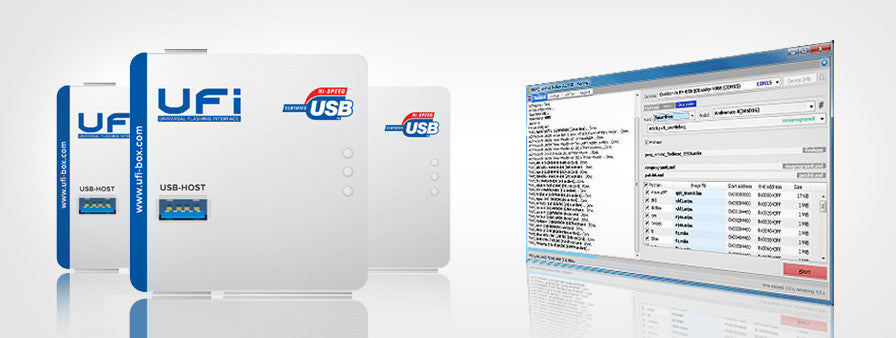
UFi Box Features
UFi Box is a powerful EMMC Service Tool that can Read EMMC user data, as well as repair, resize, format, erase, read write and update the firmware on EMMC in Samsung, china phone SK Hynix, Toshiba, Kingston, micron, and other brands.
UFi Box is a tool to repair phones with the ability to:
- Repair EMMC
- Resize EMMC
- Format EMMC
- Write full data, erase fully
- Read boot1
- Read boot2
- Read EXT CSD
- Read User Data
- Update firmware
- Via test point
What are the advantages of UFi Box?
- Has its own software, a stand-alone
- Display that is easily understood by the user or newbie first technical advance that has been made as easy as possible usage Or ONE CLICK without having configurations app.
- Supported database of various kinds of IC EMMC, which in included in the software Ufi box
- Support Ic EMMC Samsung and china phone SK Hynix, Toshiba, Kingston, micron, and other brands
- Has a faster speed compared to other boxes because it uses an interface 8bit full speed
- Support the use, installation and use in support by practitioners directly
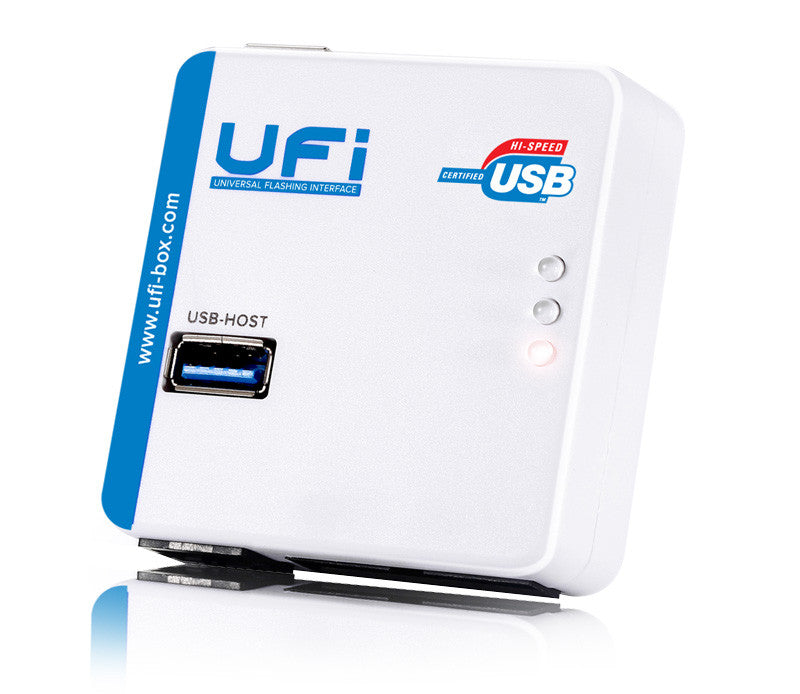
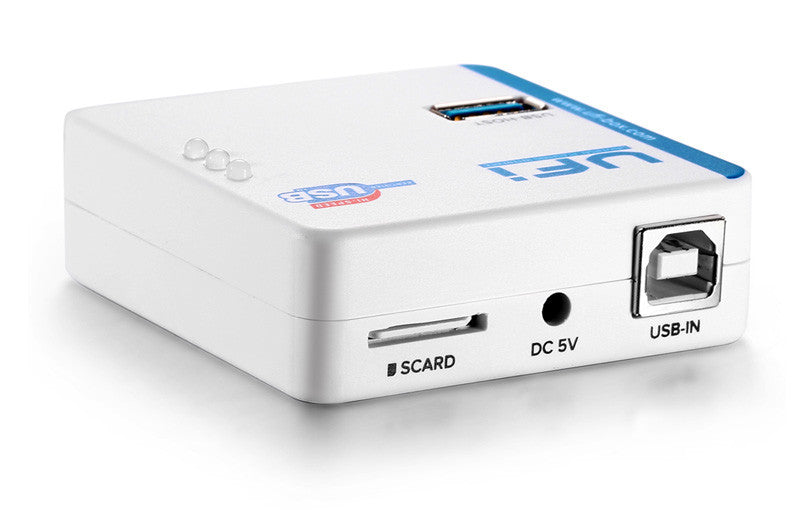
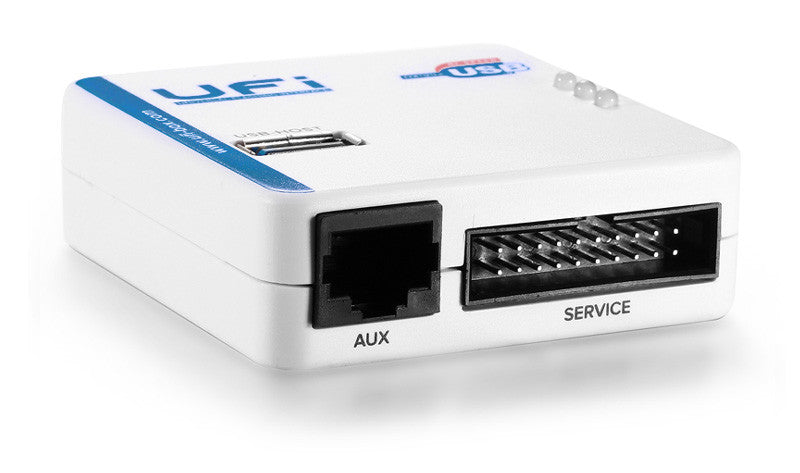
Hardware Features:
- USB 2.0 High-Speed(480 Mbps)
- Modern design, with built-in LDO Voltage Out and external power source
- Secured with Java smart card and online system
- Multiprotocol ready, with 20 (13 usable) multi-purpose IO pins and 1 Full-Speed USB-HOST
- Integrated software managed over-current protection
Software Features:
- Lowest-cost universal software platform in the market
- Work with standalone and user-friendly software
- Strong and secure software platform integrated with online(server based) security
- Planned to support as many as possible up-to-date repair solution
- Integrated file synchronising function
Compatibility
What are the supported OSes?
UFI software developed inside Windows 7 64bit environment, but it can work with All other Windows version starting Windows XP.
However, we recommend to use the software with Windows 7 or later.
We have tested the software and drivers to be working with the following OSes:
- Windows XP Service Pack 3 (32bit)
- Windows 7 Home (32bit)
- Windows 7 Ultimate (32bit)
- Windows 7 Ultimate (64bit)
- Windows 8 Profesional (64bit)
- Windows 8.1 Profesional (64bit)
- Windows 10 Final (64bit)
Warranty
All the hardware was passed the QC in the factory before dispatch, however, some devices may have problems in the customer's hand.
UFi Box, UFI-Lite and the eMMC Socket were covered by 6-months limited warranty.
This warranty does not include problems that were caused by the user himself, such as water damage, burns because of over-voltage, etc.
Package Contents.
- UFi Box USB2.0 High-Speed + Smartcard
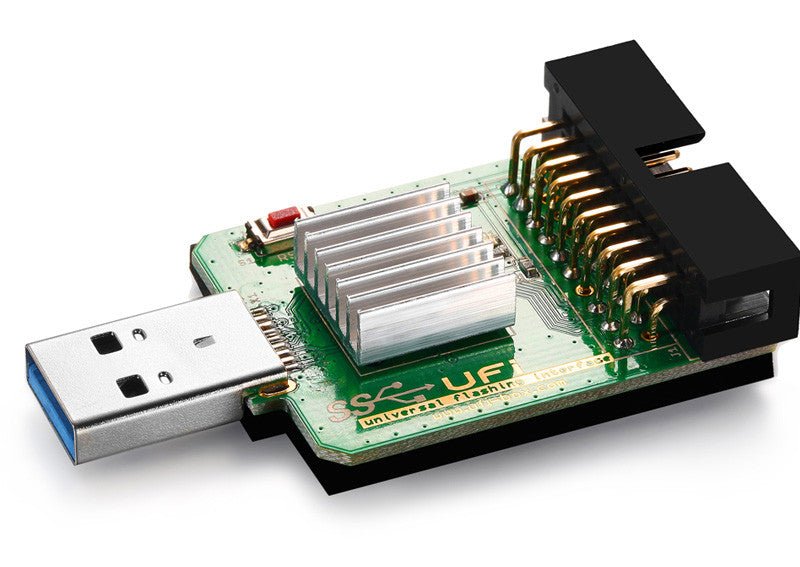
- UFI-Lite USB3.0 SuperSpeed uSD/eMMC Reader
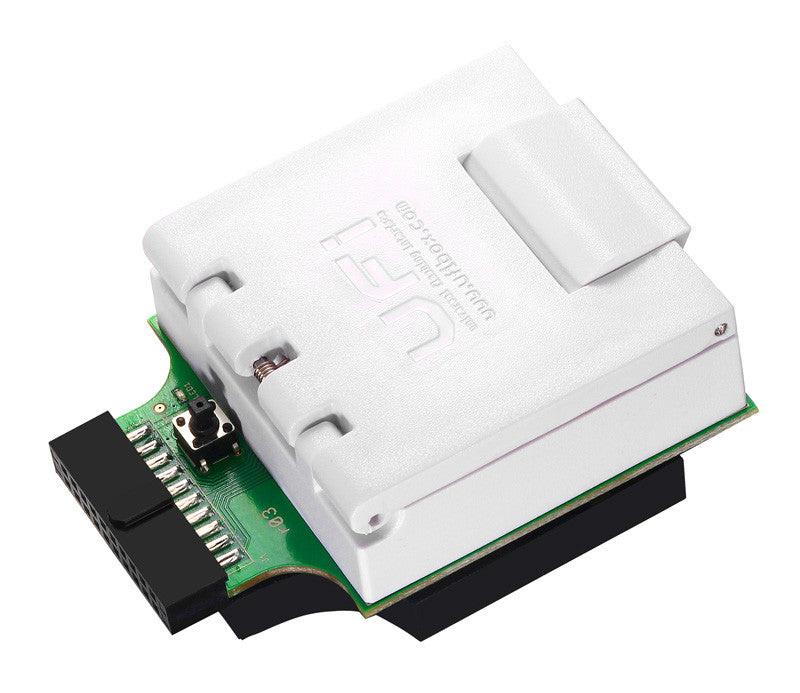
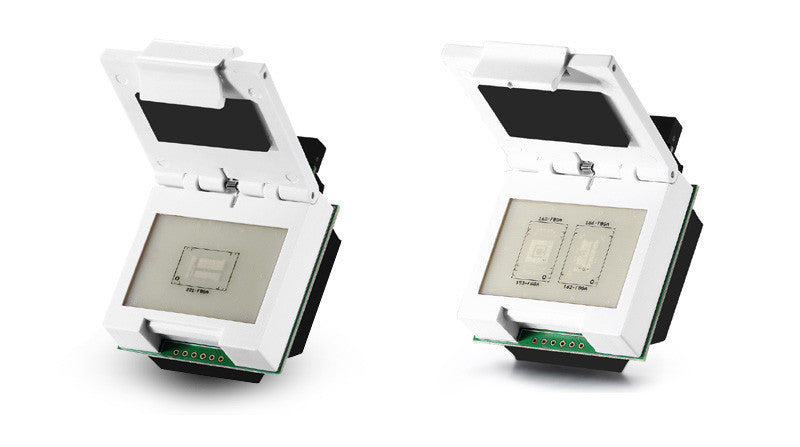
- 2 In 1 eMMC/eMCP socket (169-FBGA,153-FBGA,162-FBGA,186-FBGA)
- eMMC/eMCP socket (221-FBGA)
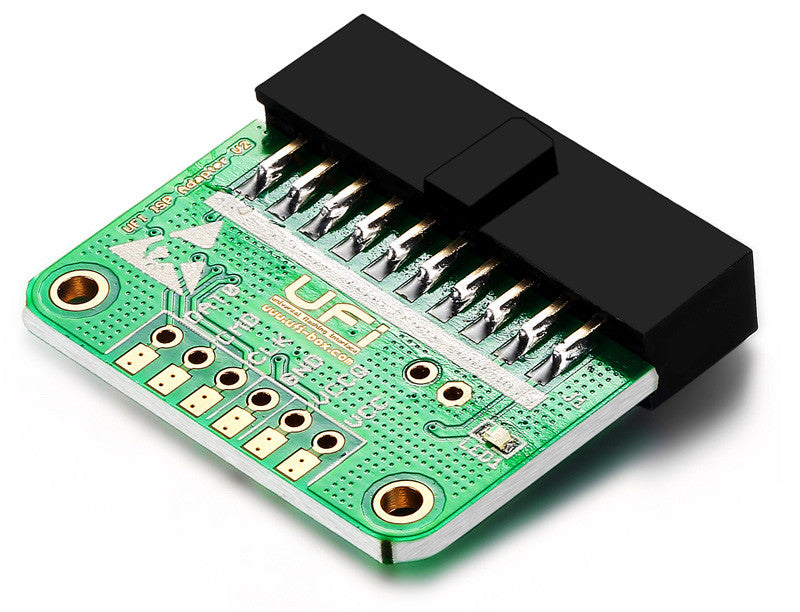
- UFI ISP Adapter V2
- USB Data Cable
- USB to DC 5V External Power cable
Over 3.3TB compressed files(and counting) available on support server comes with built-in download manager, so user can download required files with easy.
Gallery
CÁC BÀI VIẾT KHÁC...
SẢN PHẨM
TIN TỨC HOT
SẢN PHẨM HAY
HỖ TRỢ KHÁCH HÀNG

kỹ thuật viên

sale skype
sale hỗ trợ 1



-
Thiết kế và phát triển bởi P.A Vietnam Ltd
Chia sẻ liên kết:


